
Cover page
Document examples
Residential Painting Quote Template, Built with ExtraflowDoc
A real residential painting quote — labour itemized room by room, paint and materials costed separately, tax and terms set out in the open. See exactly how it's built, then create your own from a Pipedrive or monday.com deal.
Free plan available. No credit card required.
Real example
Explore the residential painting quote template
The real document, page by page — cover, quote header, itemized labour and materials, room photos and terms. Click any page to view it full-screen.
Quote header & parties
Labour, materials & grand total
Room-by-room photos
Warranty & terms
What's inside
What's inside this painting quote
Built from ExtraflowDoc's flexible page blocks, so every section below can be edited, reordered or reused in your next painting estimate.
Quote header & both parties
Quote number, issue date, valid-until date, your logo and full contact details for the painter and the homeowner.
Labour itemized room by room
Living room, kitchen, bedroom, trim and mouldings, ceilings and cleanup — each with its own quantity, rate and discount.
Paint & materials costed separately
Paint brand, finish, colours and sundries sit in their own section with their own total, so labour and materials never blur together.
Grand total with tax
Labour and materials roll up into one summary table, with the tax rate and the amount it applies to shown in full.
Room photos & scope notes
Full-width photos of the spaces being painted, each with the prep and finish you're quoting for that room.
Warranty & terms
Labour warranty, paint quality assurance, payment schedule, scope-change policy and cancellation terms — agreed before the first drop cloth goes down.
How the numbers work
How this painting quote adds up
Nothing is hidden in a single lump sum — the client can follow every figure from the first room to the grand total.
Priced in the unit the job is measured in
Rooms are quoted per square foot — 300 sq.ft of living room at $15.00, less a 10% discount, is $4,050.00 — while trim and mouldings go by the linear foot (450 ft. at $2.00) and cleanup is a flat $300.00.
Discounts set per line, not per quote
The living room and kitchen carry a 10% discount; the bedroom carries a flat $1,000.00 off instead. Both kinds live on the same table, and the line totals recalculate as you change them.
Labour and materials kept separate
Labour comes to $19,950.00 across six lines. Paint and materials — brand, finish, colours, brushes, tape and drop cloths — sit in their own section at $1,200.00.
One tax rate, applied in the open
The summary table shows 8.00% applied to the $21,150.00 subtotal, adding $1,692.00 for a $22,842.00 grand total — rate, base and result all printed.
Solution
ExtraflowDoc — the solution for creating painting quotes
Painting and decorating contractors use ExtraflowDoc to turn a Pipedrive or monday.com deal into a polished, signed quote — without leaving the CRM or rebuilding the same document for every job.
Quote, estimate and invoice from one editor
Painting quotes, job estimates, bids, invoices and agreements — all built from the same blocks, so your paperwork matches.
Autofill client & property data
Homeowner name, address and any custom field flow in from the Pipedrive or monday.com deal automatically — no retyping.
Price by square foot or linear foot
Set a rate per sq.ft or per ft. and a quantity per room; line totals, discounts and tax recalculate as you edit.
Collect e-signatures
Send the quote for signature and watch its status update in real time — no separate e-signature tool.
Save it as a painting quote template
Turn this document into a reusable template so every new paint job starts from the same on-brand structure.
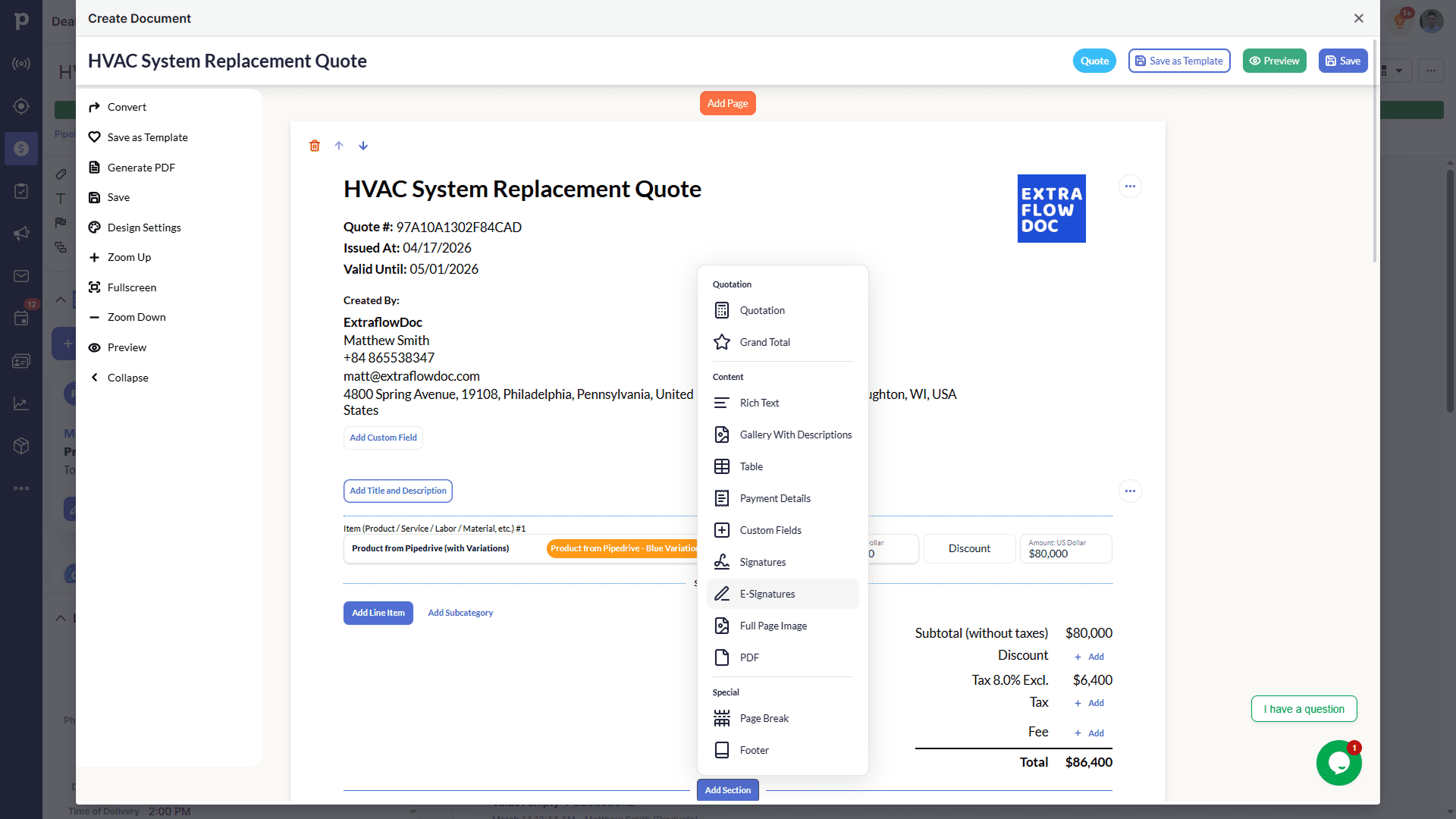
See the transformation
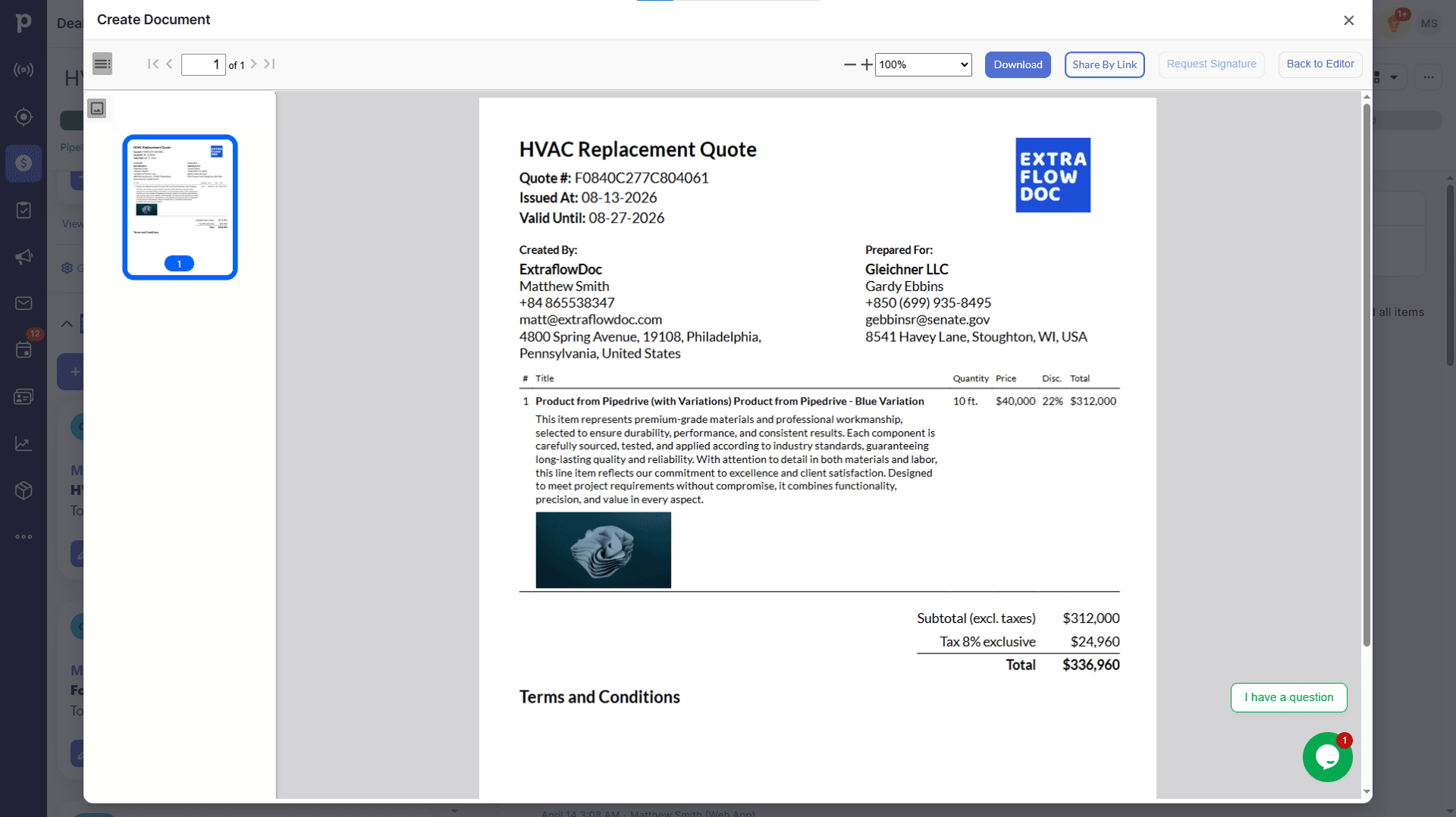
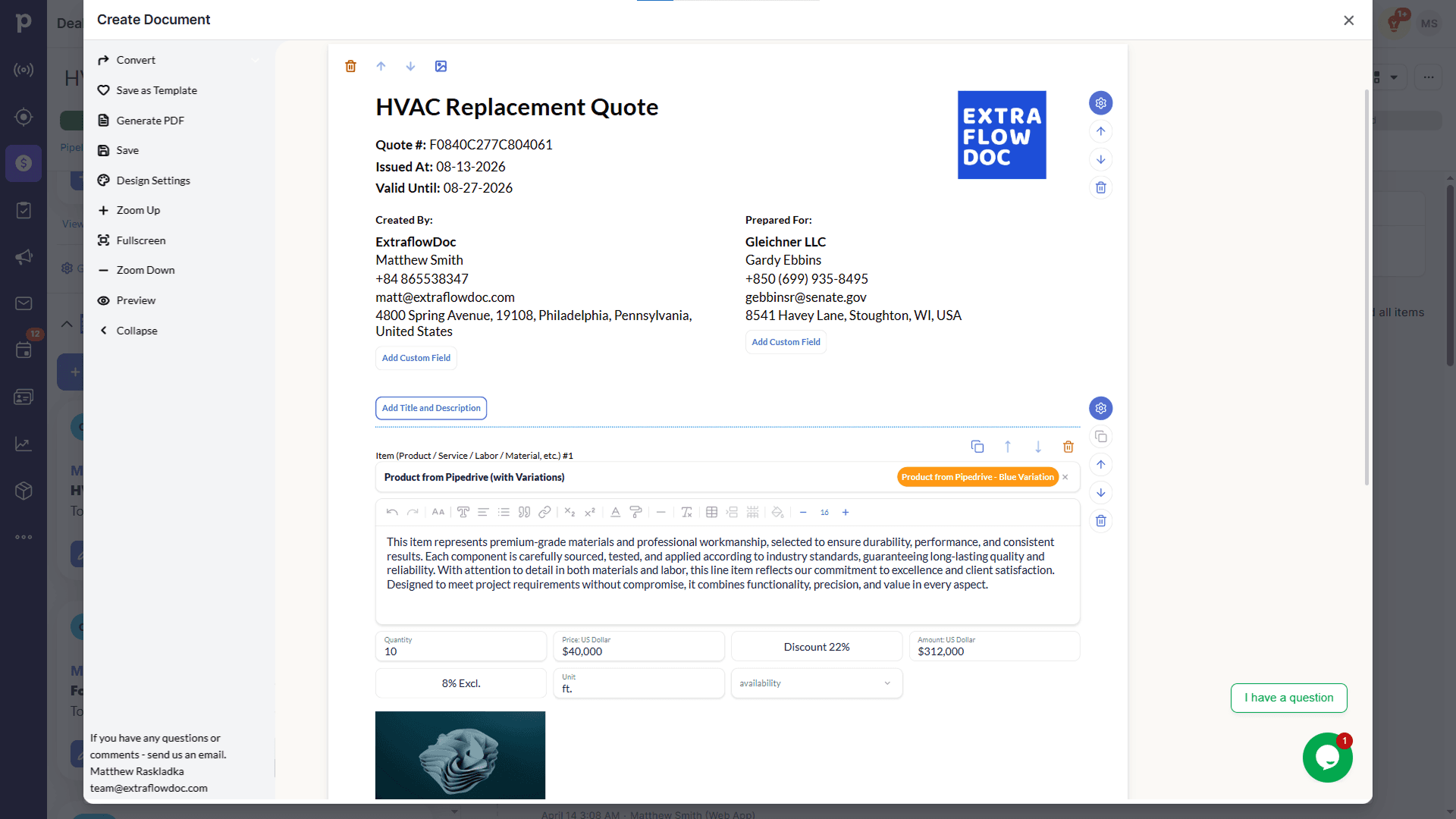
The same document: in the editor and in the final PDF
Edit blocks, pricing, and content live, then export a polished PDF that matches exactly what you built. Drag the slider to compare.
All in one place
ExtraflowDoc — everything you need to close more deals
Every feature that turns a CRM deal into a signed, on-brand quote, grouped by what it does.
Document creation & templates
All document types
Estimates, quotes, proposals, invoices, agreements, purchase orders, delivery notes, work orders, and custom documents.
Templates
Save any document as a reusable, on-brand template.
Team access
A shared template library keeps every rep's documents consistent.
Convert quote to invoice
Turn a won quote into an invoice in one click, with every line item carried over.
Autopopulate from the deal
Company and manager
Your company details and the assigned rep populate automatically.
Client data
Contact information flows from the deal into the document — no retyping.
Custom fields
Any Pipedrive or monday.com custom field can populate anywhere in the document.
Deal products
Products already attached to the deal populate into the document in one click.
Product catalogue
Search and add products
Search your product catalogue and add items with one click.
Products and variations
Add a product with all of its variations and pricing tiers at once.
Images autopopulate
Product photos already in your catalogue appear on the document.
Custom line items
Unique line items
Add one-off products or services that aren't in your catalogue.
Rich descriptions & images
Detailed, formatted descriptions with their own photos.
Item-level tax & discounts
Set tax, discount, and custom fields per line item.
Multi-page documents
Covers & galleries
Full-image pages and photo galleries with descriptions.
Tables & custom fields
Structured pricing tables and any custom field your CRM provides.
Multiple quotation tables
Lay out standard and premium packages side by side in one document.
Signatures & payment details
Signature blocks, notes, and payment details on the same document.
Pricing & CPQ
Direct, markup, or margin pricing
Price a line item directly, from cost plus markup, or from a target margin.
Calculated fields
Custom formulas like price × quantity × days for rentals and time-based work.
Volume discounts
Discount rules that apply automatically once quantity crosses a threshold.
Tiered pricing
Define pricing tiers per product so the right rate applies without a manual lookup.
Taxes & fees
Line-item tax
Apply tax per product or service line.
Document-level tax
Apply one tax rate across the whole document.
Multiple taxes per document
Combine region-specific tax rules — GST + PST, VAT with reverse charge, and more — on one document.
E-signatures
Request from any document
Send for signing directly from the deal and see status update in real time.
Multiple signers
Collect sign-off from clients, partners, and internal approvers in one workflow.
Audit trail
Every signature ships with email verification and a timestamp.
Export & sharing
PDF export
Download a polished, print-ready PDF in one click.
Secure link sharing
Share documents through a secure web link — no attachment needed.
Instant generation
Documents are ready in seconds, every time.
See ExtraflowDoc in action (1:42)
Customer story
Trusted by teams that quote every day
“Extra Flow Doc has been a great tool for me and has really improved the way I use Pipedrive. The integration works smoothly, and generating documents and automating processes has become much easier and more efficient for me and the team I work with.”
More examples
Explore more document examples
See what quotes, proposals, and estimates look like in practice, and use them as a starting point.
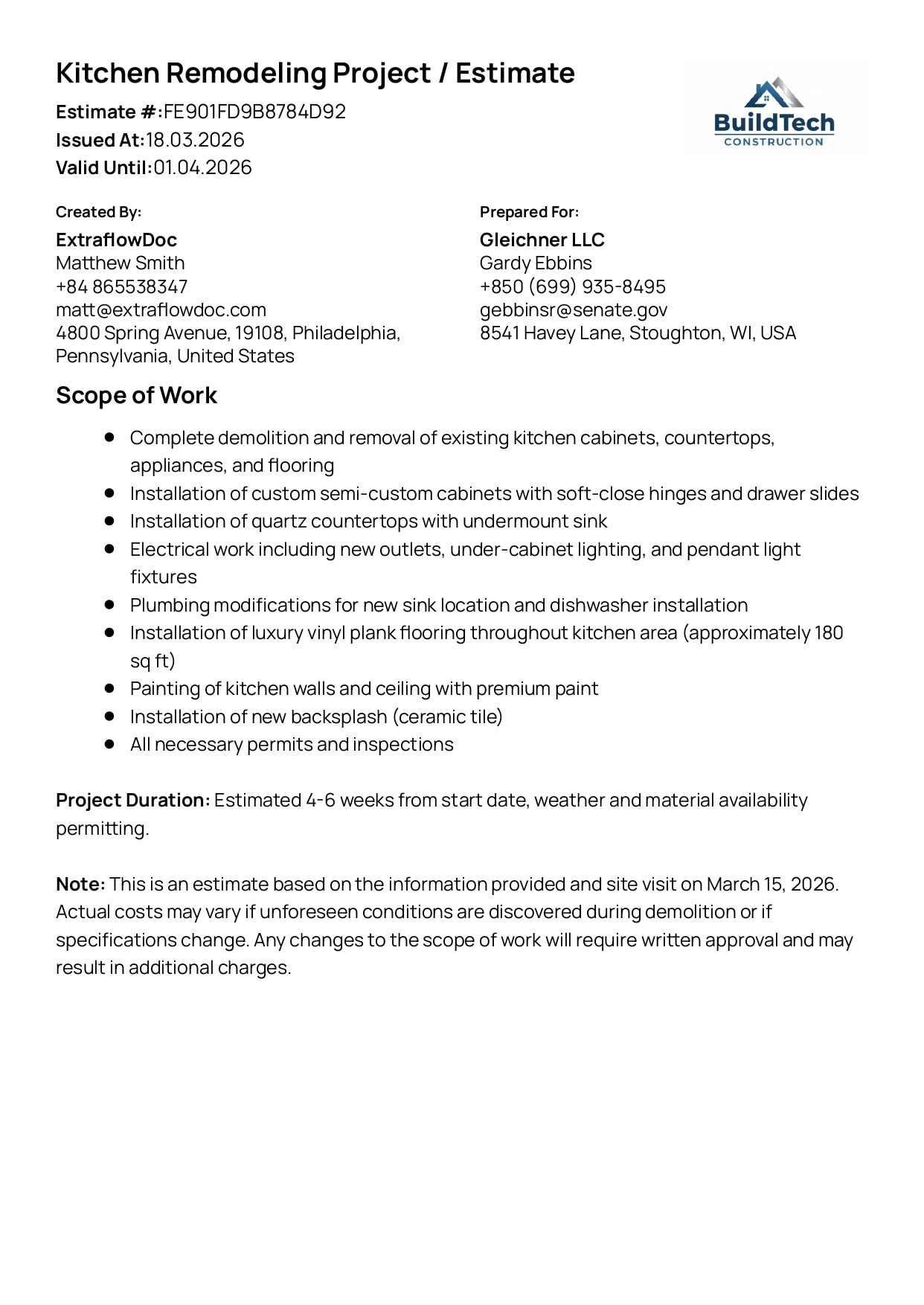
Kitchen Remodelling Project Estimate Example
Break down complex projects into transparent costs and phases your client can trust.
View Kitchen Remodelling Project Estimate example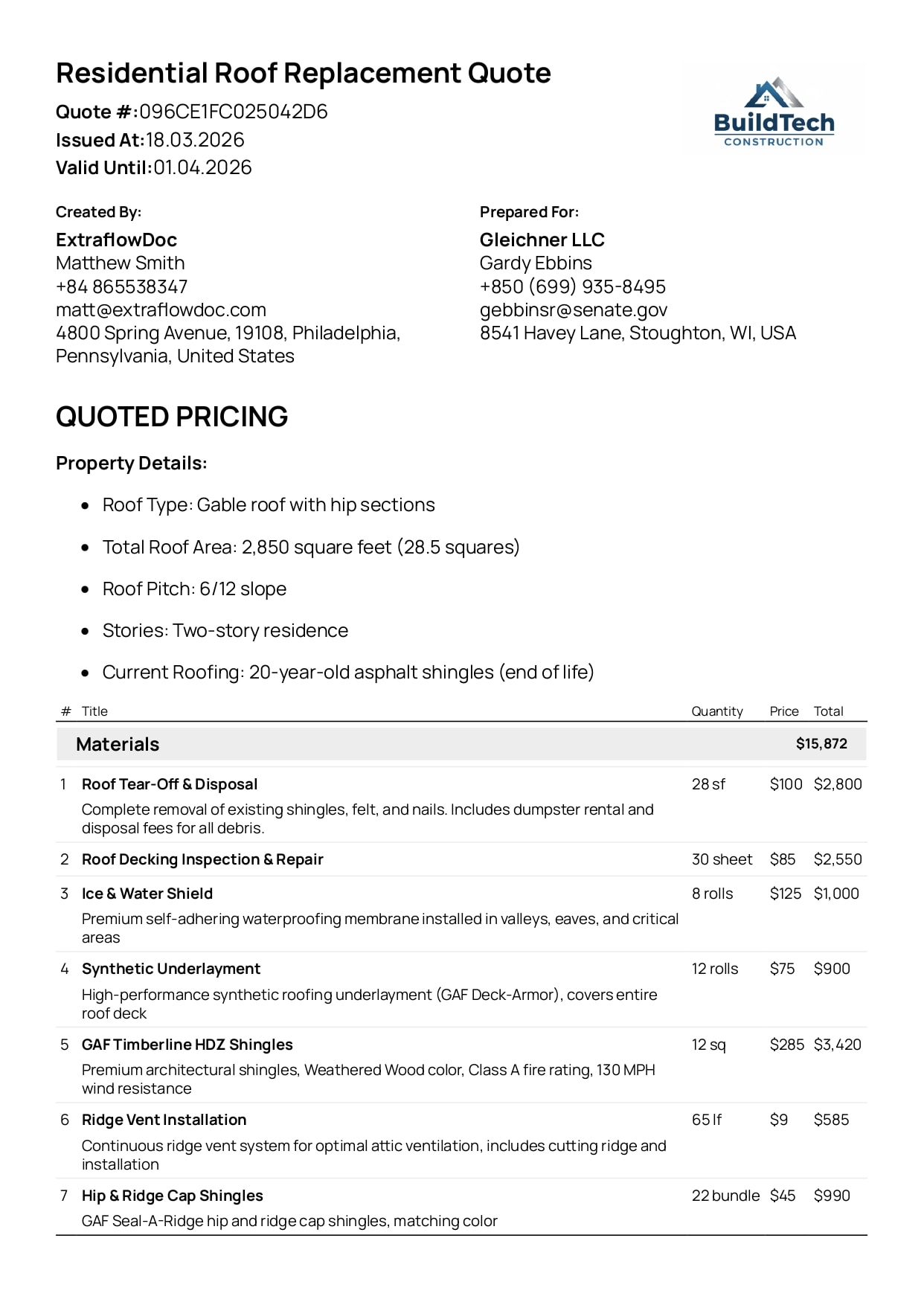
Residential Roof Replacement Quote Example
Detailed quote with materials, labour, and totals — clear for both your team and the client.
View Residential Roof Replacement Quote example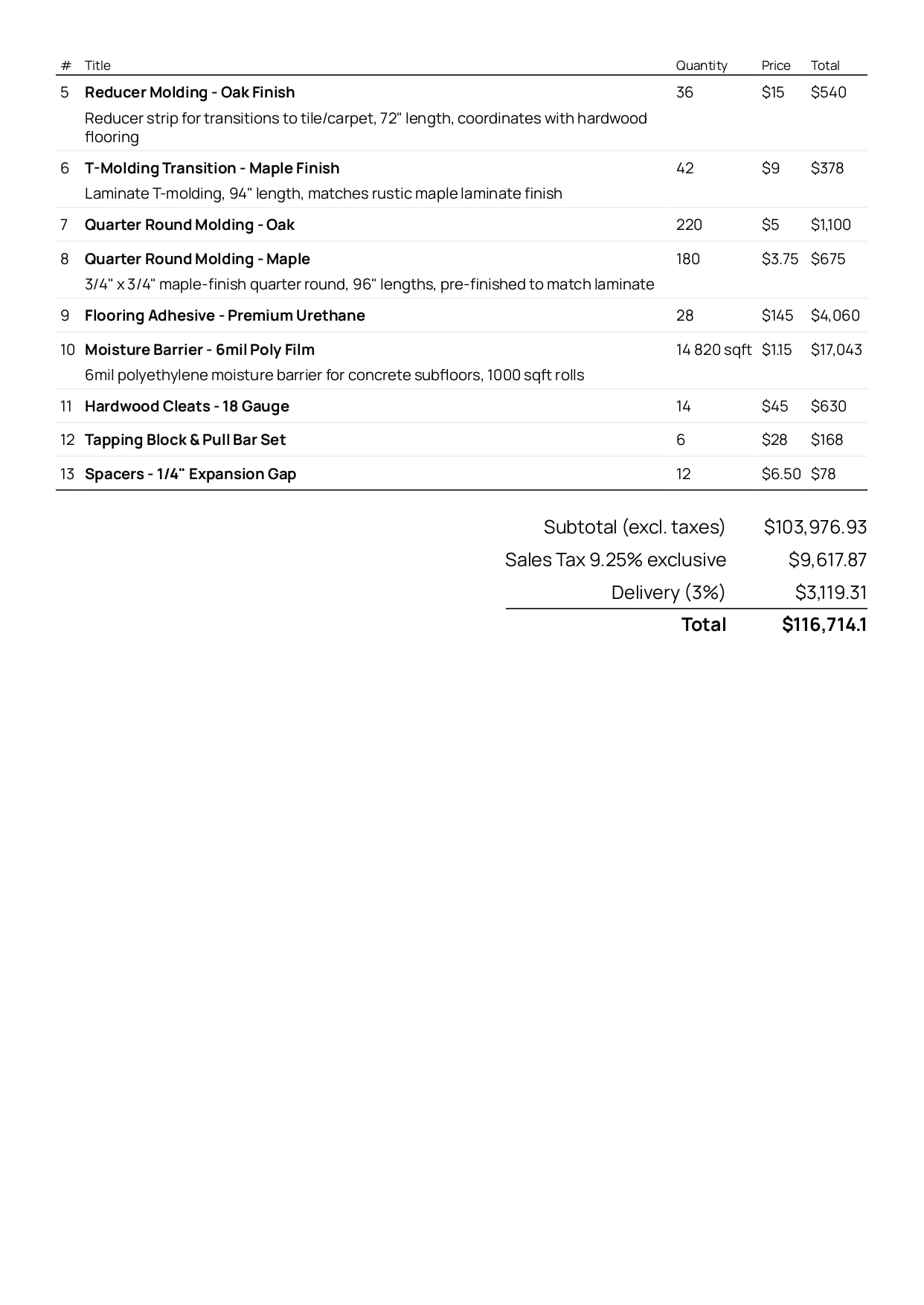
Flooring Materials Estimate Example
Explore a professional flooring materials estimate example.
View Flooring Materials Estimate example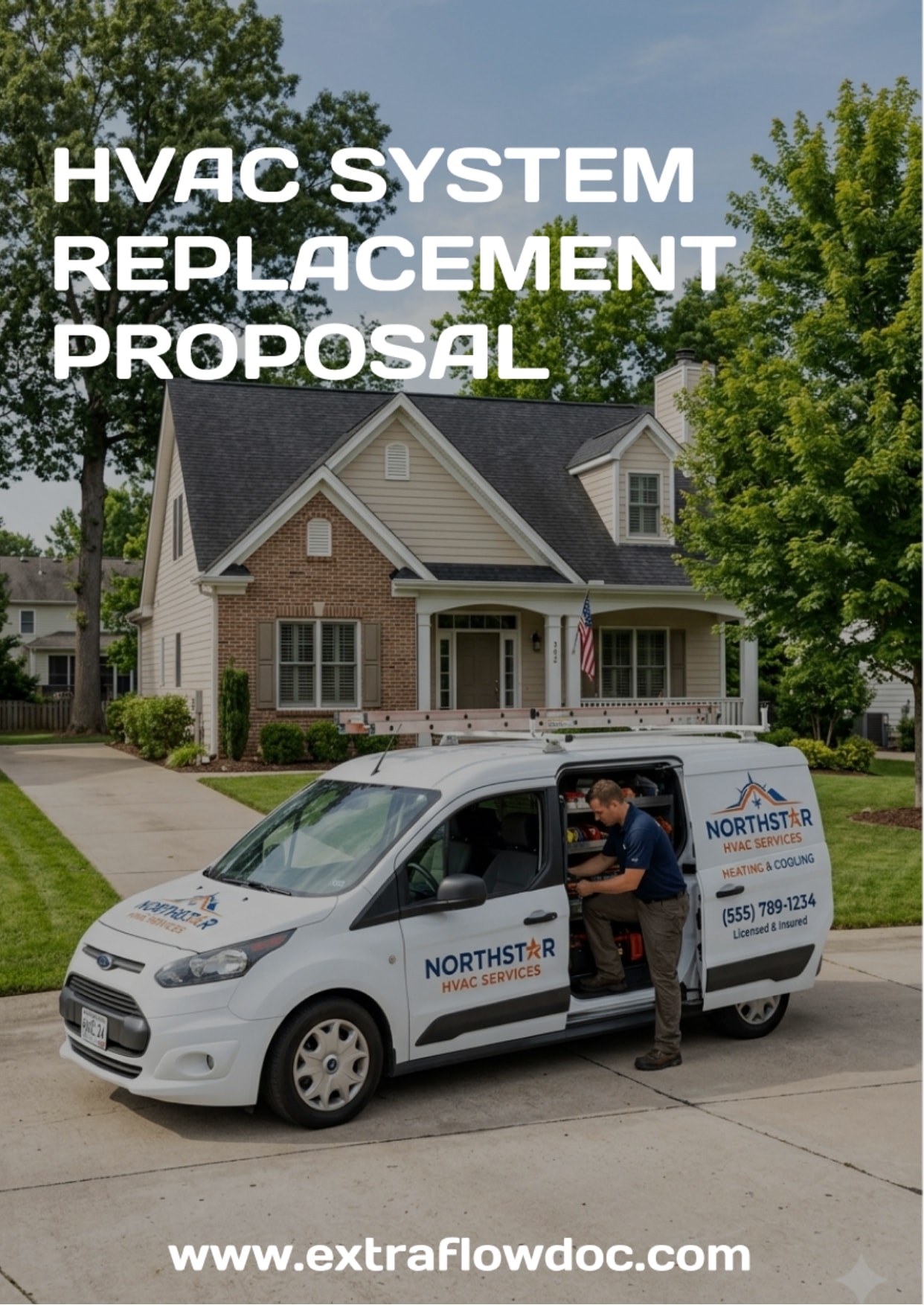
HVAC System Replacement Proposal Example
Explore a professional HVAC system replacement proposal example with equipment.
View HVAC System Replacement Proposal exampleSupport
Frequently asked questions
Everything you need to know about creating painting quotes with ExtraflowDoc.
What's included in this painting quote template?
A cover page, a quote header with both parties and a valid-until date, an about-us section, a labour table itemized room by room, a separate paint and materials total, a grand total with tax, room photos, and a warranty and terms section.
Is this painting quote template free to use?
Yes. Open it in the ExtraflowDoc editor and start from it on the Free plan — up to 5 documents a month, no credit card required.
How is the painting work priced in this example?
By the unit the job is actually measured in. Interior rooms are quoted per square foot (300 sq.ft of living room at $15.00, less a 10% discount), trim and mouldings per linear foot (450 ft. at $2.00), and cleanup as a flat one-off item.
How do labour, materials and tax add up to the grand total?
Labour totals $19,950.00 and paint and materials $1,200.00. Those roll into a summary table where 8% tax applies to the $21,150.00 subtotal, adding $1,692.00 for a $22,842.00 grand total — every step visible to the client.
Can I apply a discount to a single room instead of the whole quote?
Yes. Discounts are set per line item and can be a percentage or a fixed amount — this example takes 10% off the living room and kitchen and a flat $1,000.00 off the bedroom.
Can I use this as a painting estimate or bid template too?
Yes. The same structure works as a painting estimate, a job bid or a decorating quote — change the document type and the heading, and keep the room-by-room pricing table.
Can I turn an accepted painting quote into an invoice?
Yes. Convert a won quote into a painting invoice in one click, with every line item, discount and tax rate carried over.
Can I add photos of the rooms I'm quoting?
Yes. Full-width image blocks and photo galleries with descriptions are built into the editor, as the room pages in this example show.
Does the quote pull client and property details from my CRM?
Yes. Homeowner name, contact details and any custom field flow in from the Pipedrive or monday.com deal automatically — no retyping.
Can clients sign the painting quote electronically?
Yes. Send it for e-signature directly from the CRM and track its status in real time — no separate e-signature tool required.
Can the quote handle GST and PST on the same document?
Yes. ExtraflowDoc supports several taxes on one document — GST plus PST, line-item or document-level — and is localized into 30 languages for clients outside Canada.
Ready to quote faster?