

Quote header
Company and client details, a quote number, and issue/validity dates, so both sides know exactly which version they're looking at.

Document examples
A real residential roof replacement quote — materials, labor, permits, and totals — ready to send in minutes. See exactly how it's built, then create your own from a Pipedrive or monday.com deal.
Free plan available. No credit card required. See more document examples
Quote header & property details
All 4 pages of the real quote — header, property details, itemized pricing, and terms. Click any page to bring it forward or open it full-screen.
What's inside
Built from ExtraflowDoc's flexible page blocks, so every section below can be edited, reordered, or reused in your next quote.
Company and client details, a quote number, and issue/validity dates, so both sides know exactly which version they're looking at.
Roof type, total area, pitch, and the condition of the existing roof, captured as custom fields on the document.
Materials and labor broken into individual line items with quantities, unit prices, and running totals.
Payment schedule, warranty coverage, and cancellation policy, spelled out before the client signs.
A signature block built into the document itself, so the client can approve without printing anything.
Solution
Roofing contractors use ExtraflowDoc to turn a Pipedrive or monday.com deal into a polished, signed quote — without leaving the CRM or rebuilding it from scratch every time.
Roof replacement quotes, estimates, invoices, agreements, and other sales documents — built from the same editor.
Client name, contact details, and any custom field flow in from the Pipedrive or monday.com deal automatically — no retyping.
Materials, labor, permits, and cleaning as separate line items with their own quantities and totals — not one flat number.
Send the quote for signature and see its status update in real time — no separate e-signature tool.
Turn this quote into a reusable template so every new roofing job starts from the same on-brand structure.
The ExtraflowDoc document editor
See the transformation
Edit blocks, pricing, and content live, then export a polished PDF that matches exactly what you built. Drag the handle to compare.
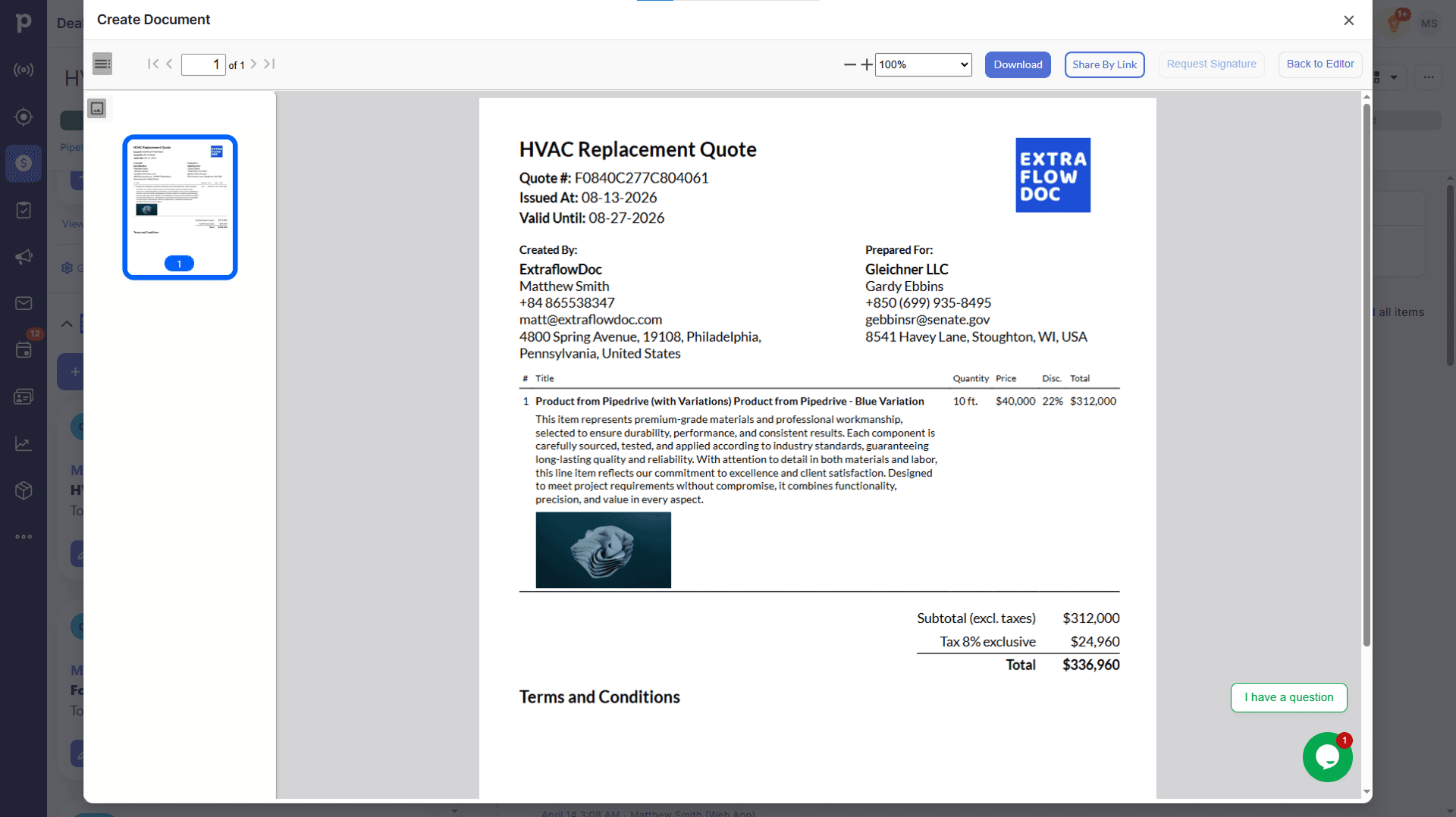
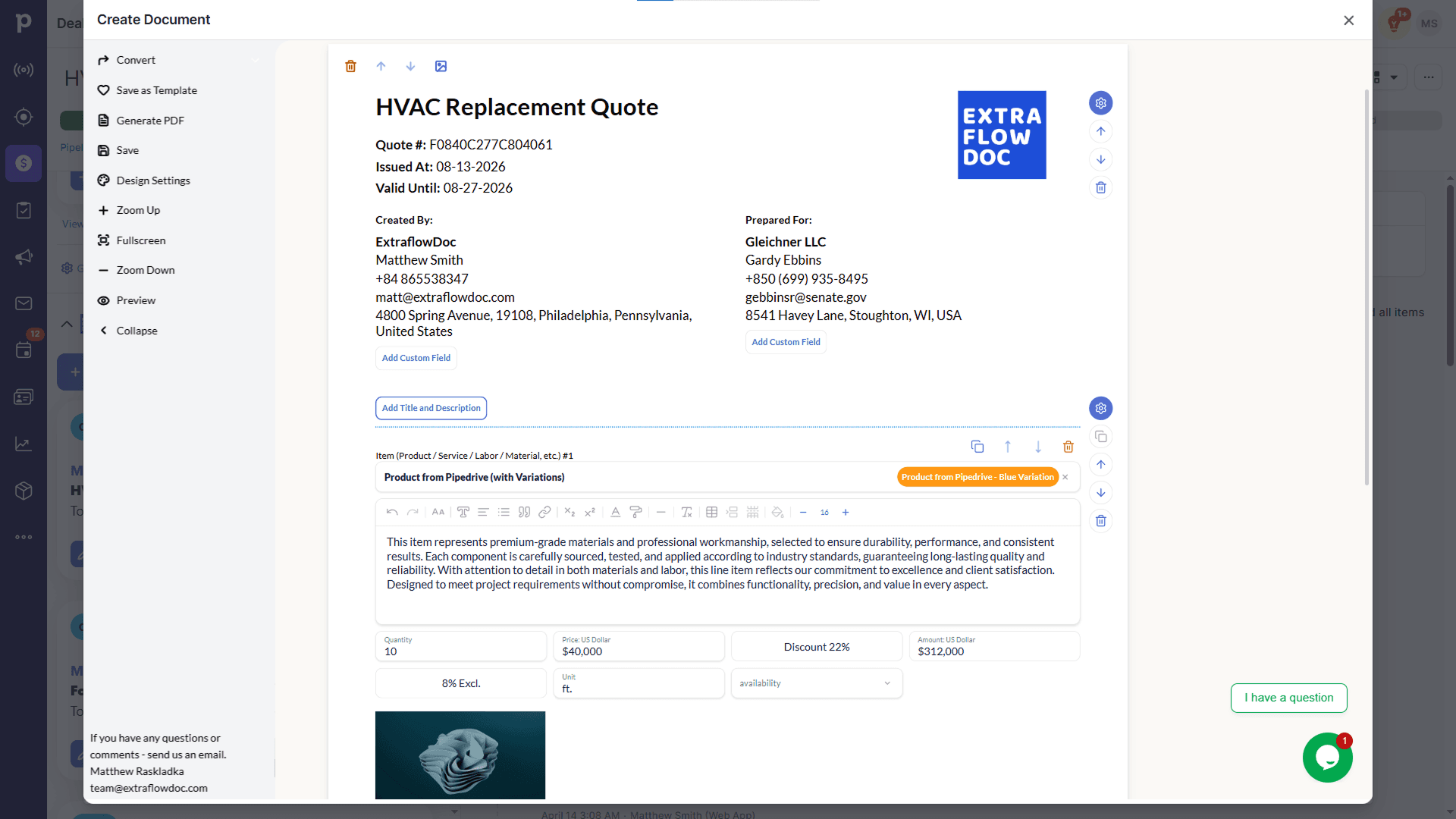
Everything in one place
Every feature that turns a CRM deal into a signed, on-brand quote, grouped by what it does.
Estimates, quotes, proposals, invoices, agreements, purchase orders, delivery notes, work orders, and custom documents.
Save any document as a reusable, on-brand template.
A shared template library keeps every rep's documents consistent.
Turn a won quote into an invoice in one click, with every line item carried over.
Your company details and the assigned rep populate automatically.
Contact information flows from the deal into the document — no retyping.
Any Pipedrive or monday.com custom field can populate anywhere in the document.
Products already attached to the deal populate into the document in one click.
Search your product catalog and add items with one click.
Add a product with all of its variations and pricing tiers at once.
Product photos already in your catalog appear on the document.
Add one-off products or services that aren't in your catalog.
Detailed, formatted descriptions with their own photos.
Set tax, discount, and custom fields per line item.
Full-image pages and photo galleries with descriptions.
Structured pricing tables and any custom field your CRM provides.
Lay out standard and premium packages side by side in one document.
Signature blocks, notes, and payment details on the same document.
Price a line item directly, from cost plus markup, or from a target margin.
Custom formulas like price × quantity × days for rentals and time-based work.
Discount rules that apply automatically once quantity crosses a threshold.
Define pricing tiers per product so the right rate applies without a manual lookup.
Apply tax per product or service line.
Apply one tax rate across the whole document.
Combine region-specific tax rules — GST + PST, VAT with reverse charge, and more — on one document.
Send for signing directly from the deal and see status update in real time.
Collect sign-off from clients, partners, and internal approvers in one workflow.
Every signature ships with email verification and a timestamp.
Download a polished, print-ready PDF in one click.
Share documents through a secure web link — no attachment needed.
Documents are ready in seconds, every time.
Customer story
“Game changer for our construction business. Complex estimates that used to take hours now take 10 minutes.”
More examples
See how quotes, proposals, and estimates look in practice, and use them as a starting point.
Website Design Proposal Example
A structured proposal with scope, pricing, and timeline — ready to send in minutes.View full exampleSupport
Everything you need to know about creating roof replacement quotes with ExtraflowDoc.
A quote header, property details, an itemized breakdown of materials and labor, terms and conditions, and a signature block — all built from ExtraflowDoc's page blocks.
Yes. Save any ExtraflowDoc document as a template, then reuse its structure — property details, pricing table, terms — for every new job.
Yes. Client name, contact details, and any custom field flow in from the Pipedrive or monday.com deal automatically — no retyping.
Yes. Add as many line items and sections as the job needs, each with its own quantity, unit price, and total.
Yes. Send it for e-signature directly from the CRM and track its status in real time — no separate e-signature tool required.
Yes. Convert a won quote into an invoice in one click, with every line item carried over.
Yes. Price each line item directly, from cost plus markup, or from a target profit margin, and totals recalculate automatically.
Yes. ExtraflowDoc runs natively inside both Pipedrive and monday.com deals.
Yes. The Free plan includes up to 5 documents a month, no credit card required — see the pricing page for the full list of plans.
ExtraflowDoc is localized into 30 languages, with line-item VAT, GST, PST, and sales tax support for international clients.
Ready to quote faster?