
Add a content block
For small businesses and sole traders
Quoting software for small business
ExtraflowDoc gives a one-van business the same quote a twenty-van business sends: a cover page, itemised pricing, photos and a signature — built in a browser, billed per company instead of per seat, and free for the first five documents a month.
- Quotes
- Estimates
- Proposals
- Invoices
- Agreements
- Work orders
- Purchase orders
- Delivery notes
Free plan available. No credit card required. Or make one quote in your browser before you decide anything.
Free plan, no credit cardUnlimited users on every planNothing to install
See it in action
What's Inside ExtraflowDoc?
Explore 15 screenshots for a better understanding — click any screenshot to view it full-screen.
Cover page and quotation block
Line item with a product photo
Line items and the block picker
Warranty section and running totals
Photo gallery with numbered callouts
PDF preview — cover page
PDF preview — quotation
PDF preview — line items and totals
PDF preview — signature block
Cover, quotation, and line items
Scope, terms, and signatures
ExtraflowDoc inside a Pipedrive deal
Start from a document or a template
Quotation block settings
Built for however few of you there are
What a small business actually needs from quoting software
You are the estimator, the office and the person who answers the phone from the van. The question is not which features are deepest — it is which tool a business your size can start on this week and still afford next year.
A free plan you can genuinely run on
The free plan is 5 documents a month per company, with no card to enter and no trial clock. For a sole trader quoting one or two jobs a week that is the whole job, not a teaser — and when a busy month pushes you over it, the first paid plan is USD $14.99 for 20.
Priced per company, so adding people costs nothing
Every plan includes unlimited users. Your partner who does the books, the apprentice who photographs the site, the mate who covers the phone in August — all of them can be on it without the bill moving. Per-seat pricing punishes exactly the growth a small business is trying to have.
Nothing to install, and no CRM required to start
The editor opens in a browser tab — that is what the Try it now button above does. You do not need to buy a CRM first, migrate anything, or get IT involved, because there is no IT. If you already run Pipedrive or monday.com it installs there too, but that is a choice you can make later.
Send something that doesn't look like a text message
A cover page with your logo, itemised pricing, photographs of the work and a signature block — the document a customer compares against the bigger firm's. Most quotes a small business loses are lost on presentation rather than on price, and this is the cheapest part of that to fix.
You are also the back office, so nothing is retyped
A won quote becomes the invoice in one click with every line carried over, and the same lines raise a purchase order for materials. Nobody is going to re-key it for you at seven in the evening, which is the hour small-business paperwork actually gets done.
Start from a template and your own price list
Save a finished document as a template so the next quote opens half-written, and keep your materials and rates in the catalogue so you search instead of remembering. The second quote should take a tenth of the time the first one did, or the tool has not paid for itself.
Worked example
Anatomy of a real quote from a one-van business
There is no document in the library labelled "small business", because nearly all of them are one. This is a real residential painting quote — a trade where one person often quotes, paints and invoices — and the gallery covers five of its six pages. Read it as the smallest kind of firm sending the most ordinary kind of quote.
Pages 1 and 2 — a cover, and an "about us" because nobody has heard of you
A branded cover page, then the quote number, the issue and expiry dates, both parties' contact details — and an about-us section. That last block is the one a large contractor does not need and a small one cannot do without. The customer has three quotes and has never heard of any of you; a paragraph about who actually turns up is doing work that a logo alone cannot.
Page 3 — labour by room, and three different kinds of discount in one table
The living room at 300 sq.ft and the kitchen at 200 sq.ft both run at $15.00 with 10% off, giving $4,050.00 and $2,700.00. The bedroom runs at $30.00 with a flat $1,000.00 off instead, giving $2,000.00. Then cleanup at a flat $300.00, trim at 450 ft × $2.00, and ceilings at 1,000 sq.ft × $10.00. A percentage discount, a cash discount and three different units, all in one table that still totals itself — which is the thing a spreadsheet stops doing the moment you try it.
Page 3, read again — where the money actually is
Labour comes to $19,950.00. Paint and materials come to $1,200.00. Six percent of this quote is stuff; the rest is one person's time, and the single biggest line is ceilings at $10,000.00 — more than the three rooms put together. That is the arithmetic of almost every small service business, and it is why a tool that saves you an evening of paperwork a week is not a luxury purchase. Tax of 8% on $21,150.00 brings the grand total to $22,842.00.
What the template fills in, and what it leaves to you
Be clear that this is a template rather than a finished job: the paint section still carries bracketed prompts — the brand and finish, the colours per room — waiting for your answers. That is deliberate and worth understanding before you send one. The structure, the arithmetic, the tax handling and the terms are decided for you; the four or five judgements only you can make are left marked, so you cannot accidentally send a quote with a blank where the colour should be.
Pages 4 and 5 — the room photos, then the terms that protect you most
A photo page showing each room with a description of the finish quoted, then warranty and terms covering payment, scope changes and cancellation. For a business with no legal department the terms page is the highest-value page in the document: scope-change wording is what turns "while you're here, could you do the hallway" into a priced variation instead of a free afternoon.
And every other example in the library is a small business too
The roofer, the landscaper, the flooring fitter, the HVAC contractor, the plant hire yard — these are the documents on this site, and none of them came from an enterprise. The painting quote is not a special small-business edition of the product; it is just what the product produces. Whichever of them is closest to your trade, start from that one rather than from an empty page.
Document examples
Three quotes, three trades, all from businesses with a handful of people
Each of these is a real document you can copy. Different trades, the same size of firm — click any example to view it full-screen.

Residential Painting Quote Template
Labour itemised by room with mixed percentage and cash discounts, paint and materials, warranty and terms.
View Residential Painting Quote Template example
Landscaping Quote Example
Five different units in one table — bags, plants, feet, square feet and crew hours — and a page that sells the design.
View Landscaping Quote example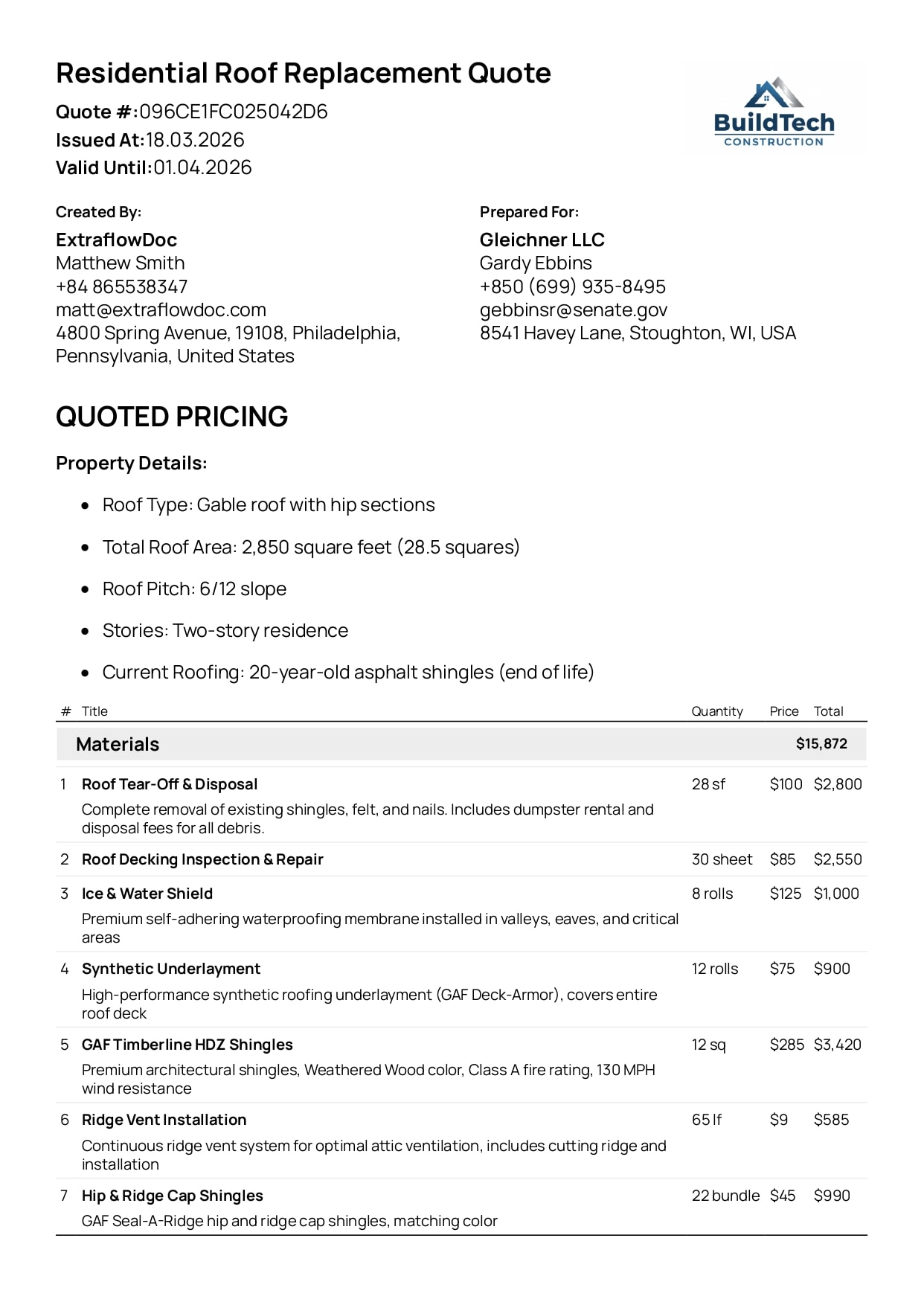
Residential Roof Replacement Quote Example
Tear-off, materials, labour and permits itemised separately, for a job sold at the homeowner's kitchen table.
View Residential Roof Replacement Quote exampleSee the transformation
Build it in the editor, send a PDF that looks like a bigger firm's
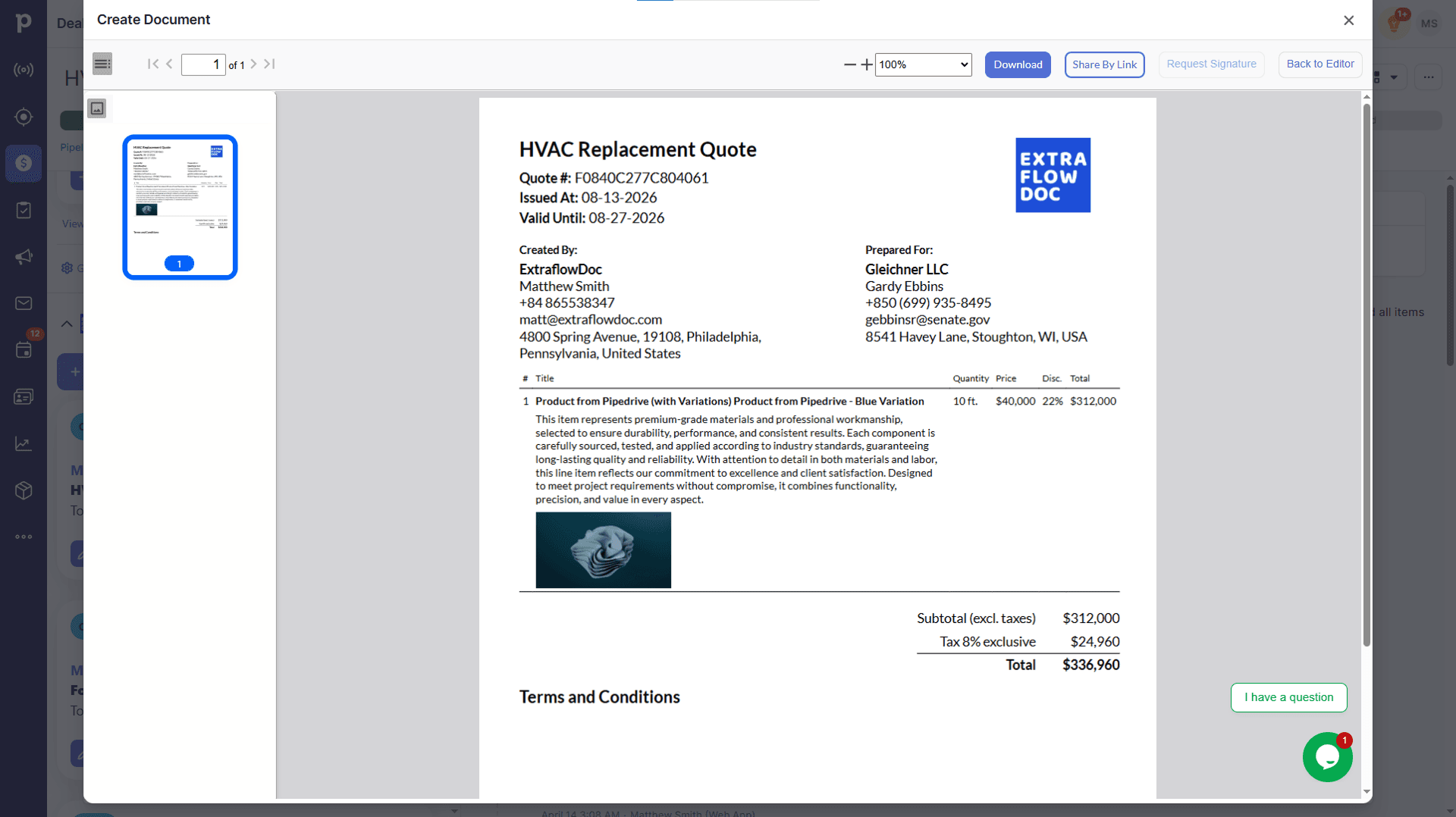
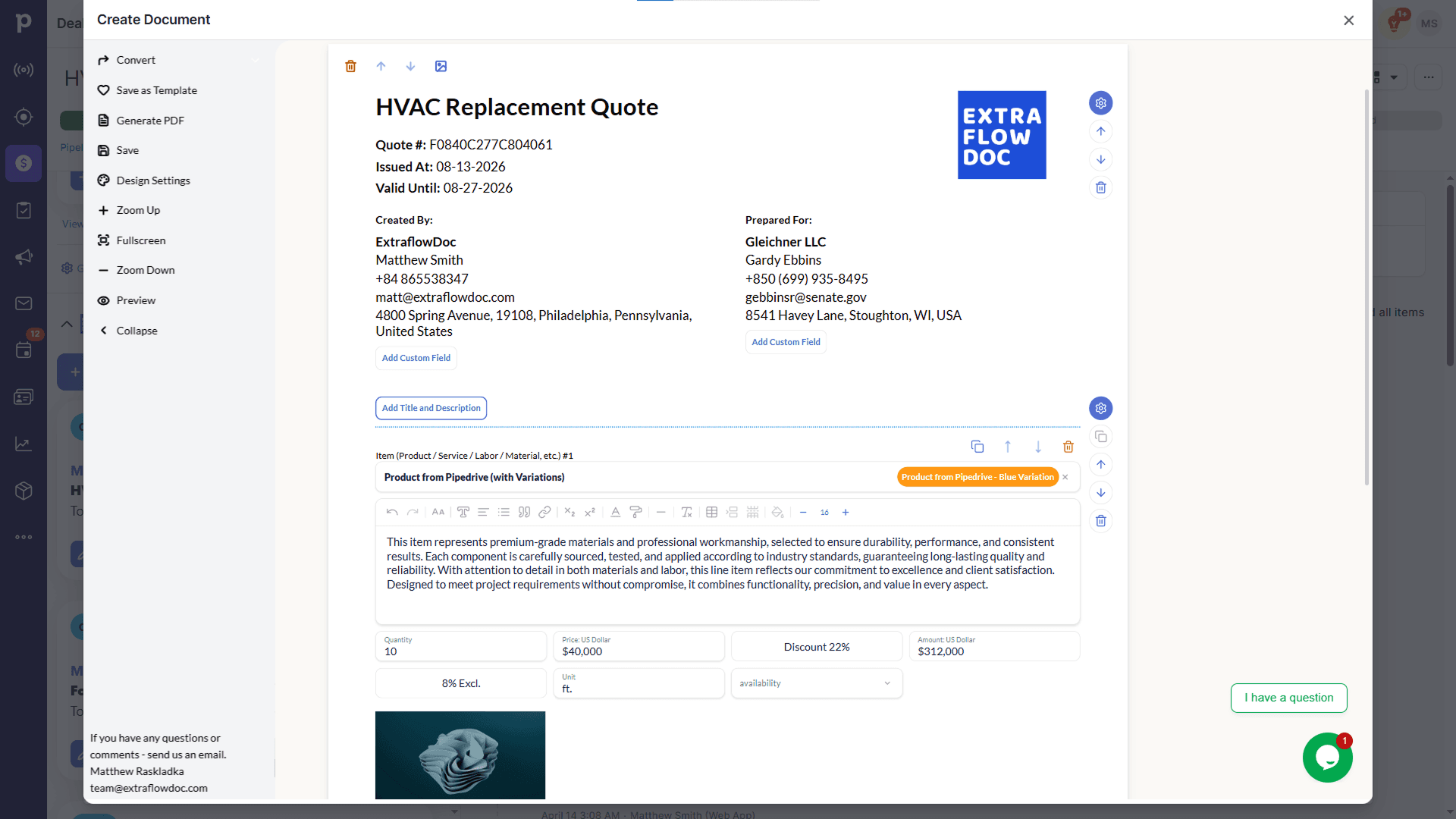
Blocks, line items and photographs on the left; the finished document your customer opens on the right. Drag the handle to compare.
Customer stories
From small businesses already sending quotes with it
“Best ROI of any software we've purchased. Paid for itself in the first week.”

“Game changer for our construction business. Complex estimates that used to take hours now take 10 minutes.”

“Very intuitive. Our team was creating professional proposals on day one with zero training.”

Integrations
If you already run a CRM, it lives inside it
Plenty of small businesses have no CRM at all, and the editor works on its own. If you do run one, ExtraflowDoc installs into it so the quote is built where the customer record already is.

Quoting in Pipedrive
Open ExtraflowDoc from inside the deal. The customer's details fill themselves in, your products come from the Pipedrive catalogue with their prices and photos, and the signed PDF stays on the deal — so the record of what you quoted outlives whichever notebook it would otherwise have lived in.

Quoting in monday.com
If your jobs already live on a monday.com board, build the quote from the item. Any column you keep — dates, numbers, dropdowns — can populate the document, and the finished quote is stored against the job rather than in a downloads folder.
Pricing
The plan is the company, not the headcount
Start on the free plan and move up only when your document count says to. Every tier includes unlimited users, so growing from one person to four changes nothing on the invoice.
Free plan
USD $0/month
5 documents/month per company
- Estimates
- Quotes
- Proposals
- Invoices
- Agreements
- Purchase Orders
- Delivery Notes
- Work Orders
- Custom Documents
- Templates
- Integration with Pipedrive
- Integration with monday.com
- E-Signatures
- CPQ
- Tiered Pricing
- Volume Discounts
- Multiple Taxes
- Pricing Engine for line items (Price, Price + Markup, Price + Profit Margin)
Basic plan
USD $14.99/month
20 documents/month per company
- Estimates
- Quotes
- Proposals
- Invoices
- Agreements
- Purchase Orders
- Delivery Notes
- Work Orders
- Custom Documents
- Templates
- Integration with Pipedrive
- Integration with monday.com
- E-Signatures
- CPQ
- Tiered Pricing
- Volume Discounts
- Multiple Taxes
- Pricing Engine for line items (Price, Price + Markup, Price + Profit Margin)
Standard plan
USD $24.99/month
35 documents/month per company
- Estimates
- Quotes
- Proposals
- Invoices
- Agreements
- Purchase Orders
- Delivery Notes
- Work Orders
- Custom Documents
- Templates
- Integration with Pipedrive
- Integration with monday.com
- E-Signatures
- CPQ
- Tiered Pricing
- Volume Discounts
- Multiple Taxes
- Pricing Engine for line items (Price, Price + Markup, Price + Profit Margin)
FAQ
Quoting software for small business: frequently asked questions
Including what it does not do, so you know what else you still need.
What is quoting software for a small business?
It is software that turns a job you have priced into a document a customer can accept: itemised lines, photographs, terms and a signature, exported as a PDF. For a small business the useful definition is narrower than the feature list — it is whatever gets a professional-looking quote out the same day you visited, without a spreadsheet, a designer, or an evening.
Is there genuinely a free plan, or is it a trial?
A free plan, not a trial. It covers 5 documents a month per company with unlimited users, no card, and no clock running out. A business quoting one or two jobs a week fits inside it indefinitely. The limit is documents per month, so it is your volume that eventually moves you up rather than a date.
What does it cost once I outgrow the free plan?
Paid plans start at USD $14.99/month for 20 documents and go up by volume from there — USD $24.99 for 35, and on. You are buying document capacity, not seats or features, so the question is only how many quotes you send in a month.
Do I pay per user?
No. Every plan includes unlimited users, so the bill does not change when your partner starts doing the invoicing or you take on an apprentice. This is the single biggest difference from most tools aimed at this market, where a second login is the start of a per-seat line that grows with your headcount.
Do I need a CRM, or can I just use it on its own?
You can use it on its own. The Try it now button opens the editor in a browser tab — no CRM, no install, no migration. The Pipedrive and monday.com integrations exist for businesses that already run one of those, and they put the editor inside the deal or board item. Plenty of small businesses never need that and only ever use the editor.
Is there anything to install, and how long until I can send a quote?
Nothing to install; it runs in a browser on a laptop, a tablet or a phone. The honest answer on time is that your first document takes as long as writing it would anyway, because you are deciding what goes in it — the saving starts at the second one, when you open the first as a template and change the parts that differ.
Can I make it look professional without hiring a designer?
That is most of the point. Cover pages, your logo and colours, photo galleries, structured pricing tables and a signature block are all blocks you drop in, and the document examples on this site are the output rather than mock-ups. A customer comparing you against a larger firm sees a comparable document, which is the cheapest competitive advantage available to a business your size.
Can I send it from a customer's kitchen table?
Yes. It runs in a browser on a phone or tablet, so you can build or adjust the quote in front of them and request the signature before you leave. Signatures carry email verification, a timestamp and an audit trail, and you can see when the document is opened — which is more than you learn from a quote posted as a photo in a messaging app.
Can the quote become an invoice?
Yes, in one click, with every line carried over. The same lines also raise a purchase order for materials. For a business where the person who quotes is the person who invoices, this is where the hours actually come back — nothing gets re-keyed, and the invoice cannot quietly disagree with what the customer agreed to.
Is it accounting software? Will it do my books or my tax return?
No. ExtraflowDoc does not do bookkeeping, bank feeds, payroll, profit and loss, or VAT and tax returns, and it does not integrate directly with QuickBooks or Xero — the native integrations are Pipedrive and monday.com. It produces the documents; your accountant or accounting software still does the accounts. If you are looking for one tool to replace both, this is not it.
Can customers pay through it? Does it chase late payments?
No to both. There is no card payment, no payment link and no bank transfer built into the document, and nothing that sends reminders or escalates an overdue invoice. You can put your payment details and terms on the invoice — the example documents do — but collecting the money and chasing it stay wherever they are now.
Which document should I send — an estimate, a quote, or a proposal?
Roughly: an estimate is a considered guess you may revise, a quote is a fixed price you will stand behind, and a proposal argues for the work before it shows the price. All three are document types in the same editor, so the practical answer is to look at the examples — the flooring estimate, the painting quote and the roofing proposal are all on this site — and copy whichever matches the conversation you are actually having.
Ready to send a better quote?