monday.com integration

monday.com Quoting Software: Quotes, Proposals & Invoices Without Leaving the Deal

ExtraflowDoc runs natively as a column on your monday.com Deals board. Auto-fill item and product data, build multi-page documents, collect e-signatures, and export a polished PDF — without a single export or copy-paste.

  • Estimates
  • Quotes
  • Proposals
  • Invoices
  • Agreements
  • Purchase orders
  • Delivery notes
  • Work orders
  • Custom documents

Free plan available. No credit card required.

4.8 out of 5 from 157 reviews

No training requiredWorks natively in monday.com

Native monday.com integration

ExtraflowDoc works inside the board — not a separate app you switch to

ExtraflowDoc opens right inside a monday.com item, so your whole team creates, edits, and reviews documents in the same place they manage the deal.

See the transformation

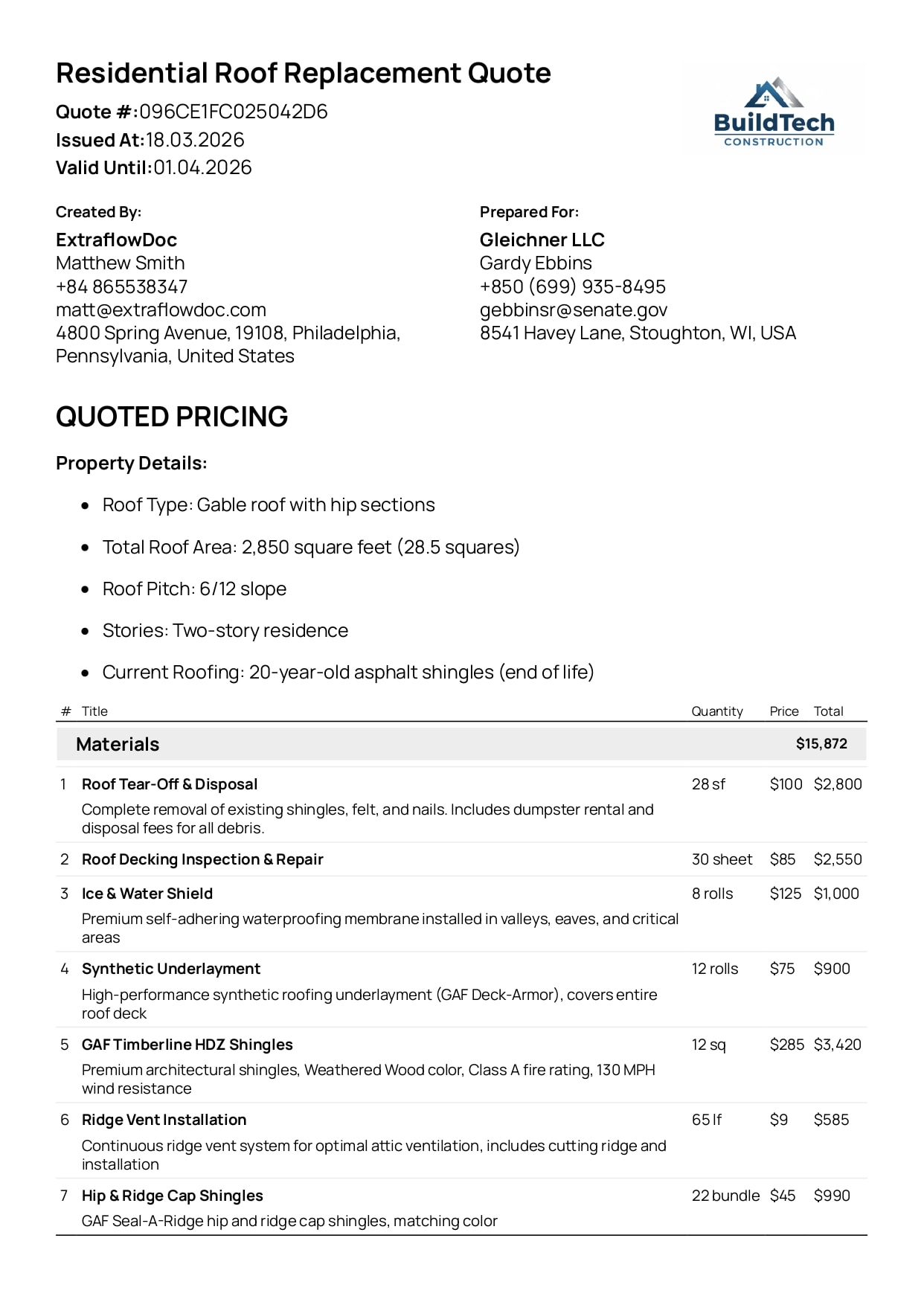
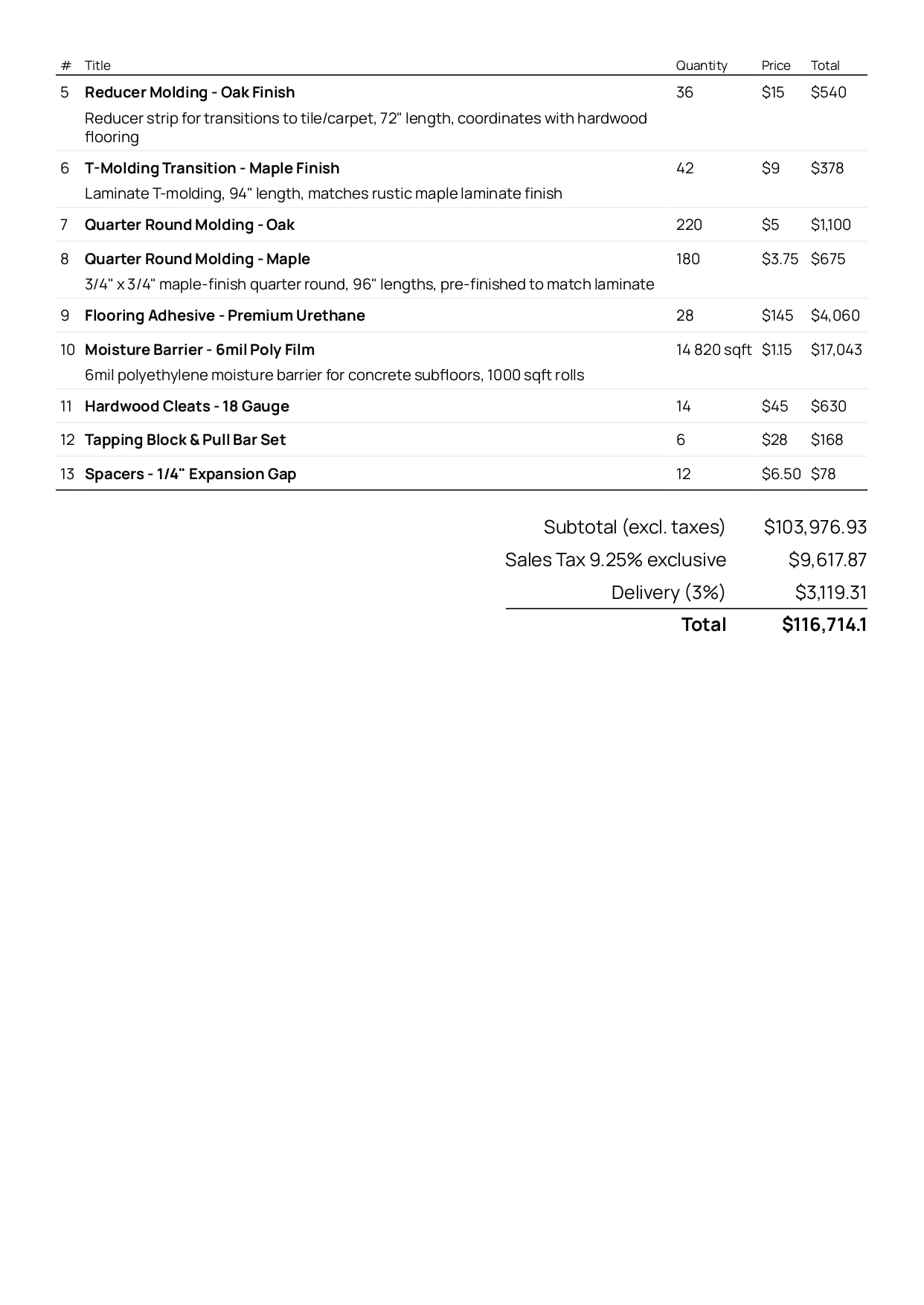
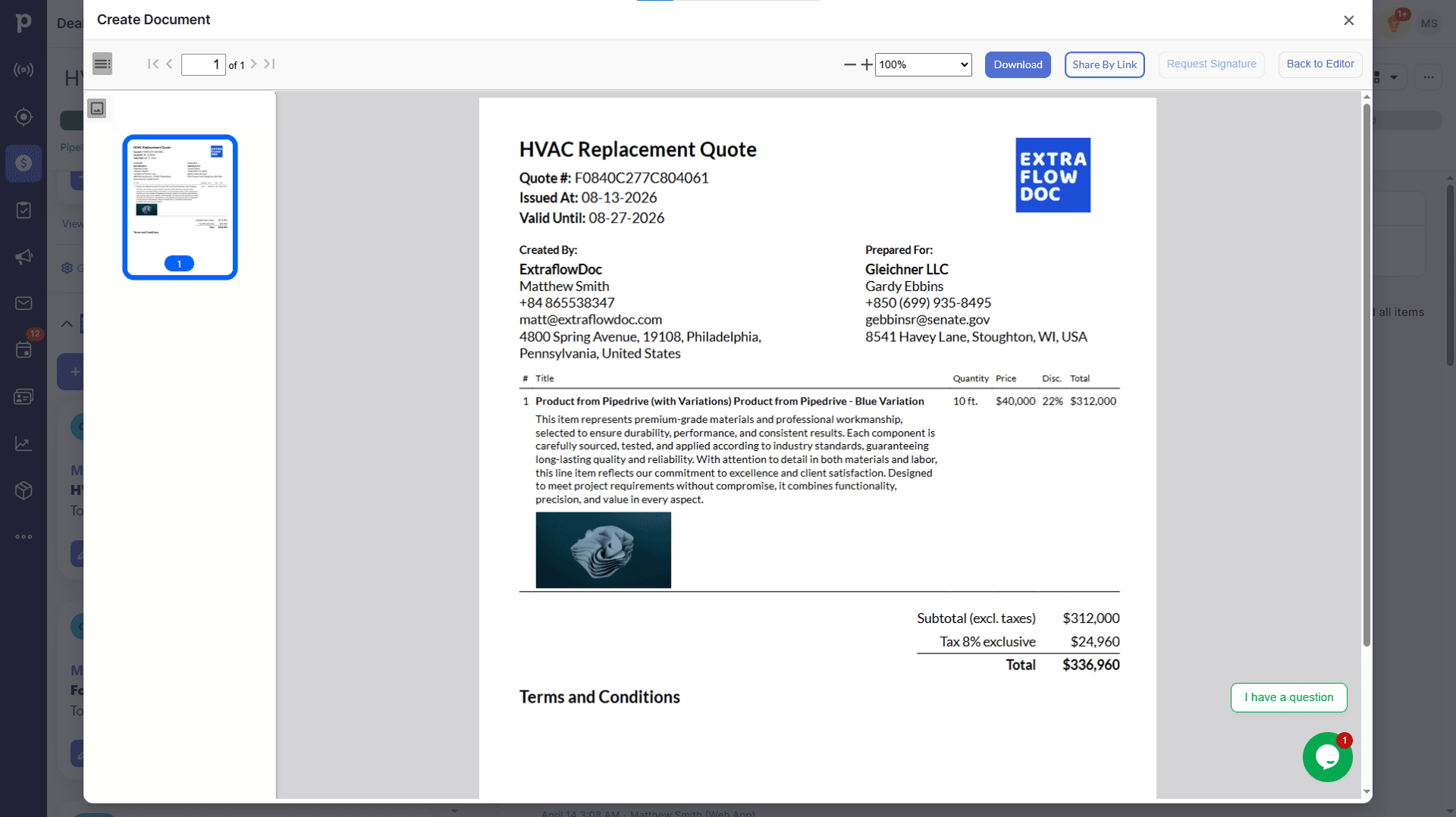
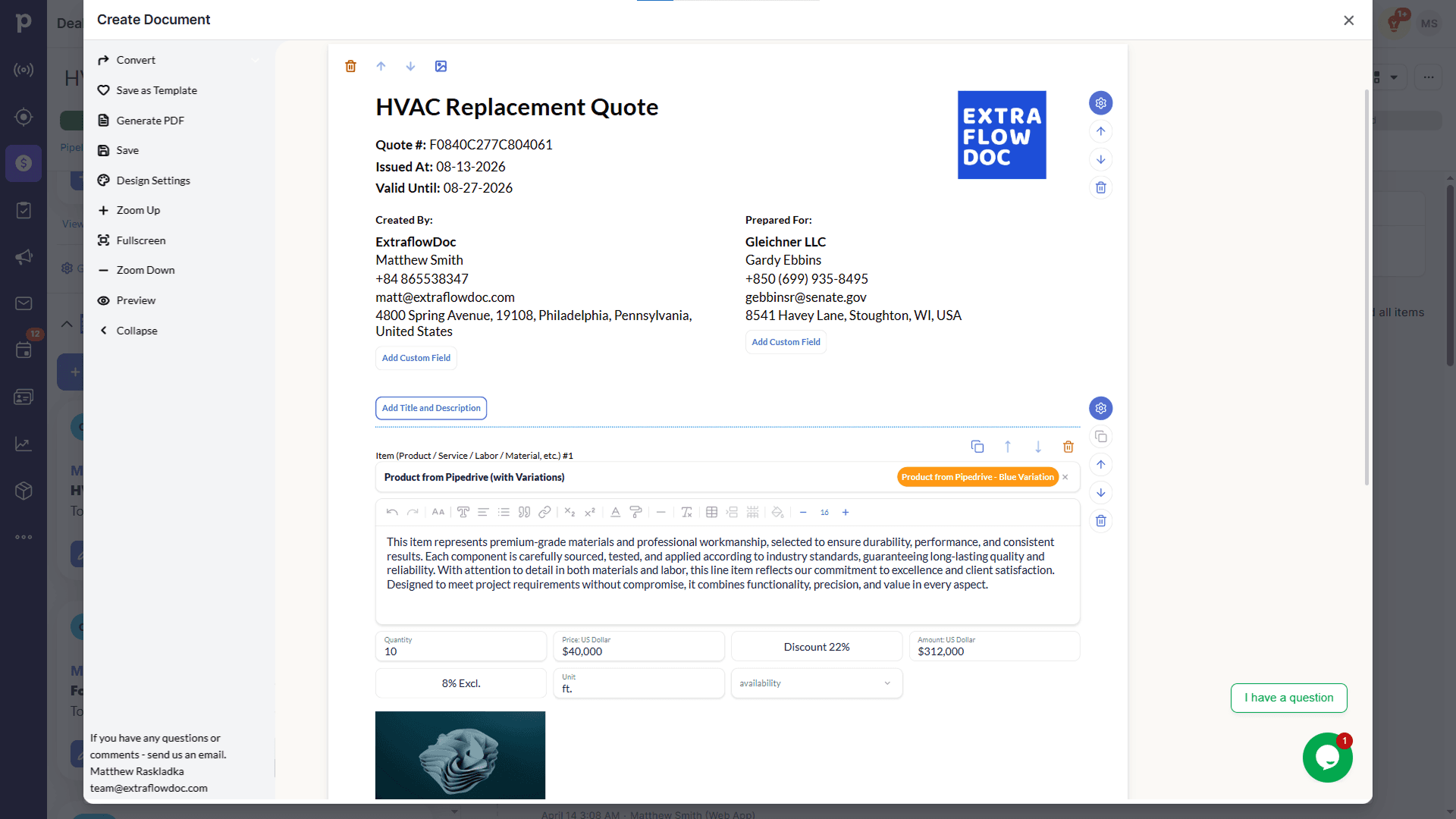
The same document — in the editor and in the finished PDF

Edit blocks, pricing, and content live, then export a polished PDF that matches exactly what you built. Drag the handle to compare.

The same HVAC replacement quote rendered as a finished, downloadable PDF in ExtraflowDoc's preview panel
An HVAC replacement quote open in the ExtraflowDoc document editor, with line-item pricing and block controls
ExtraflowDoc EditorPDF Preview
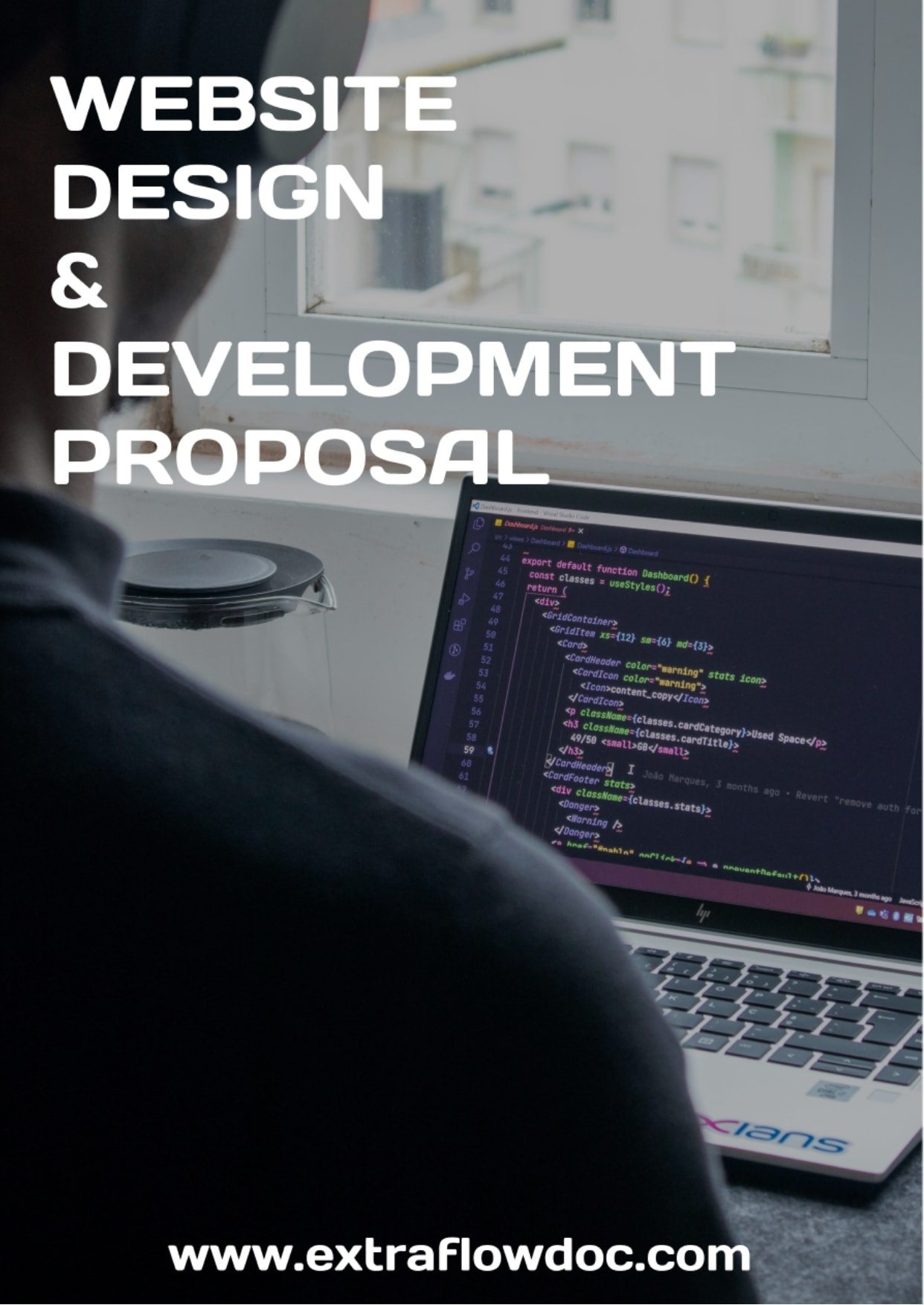
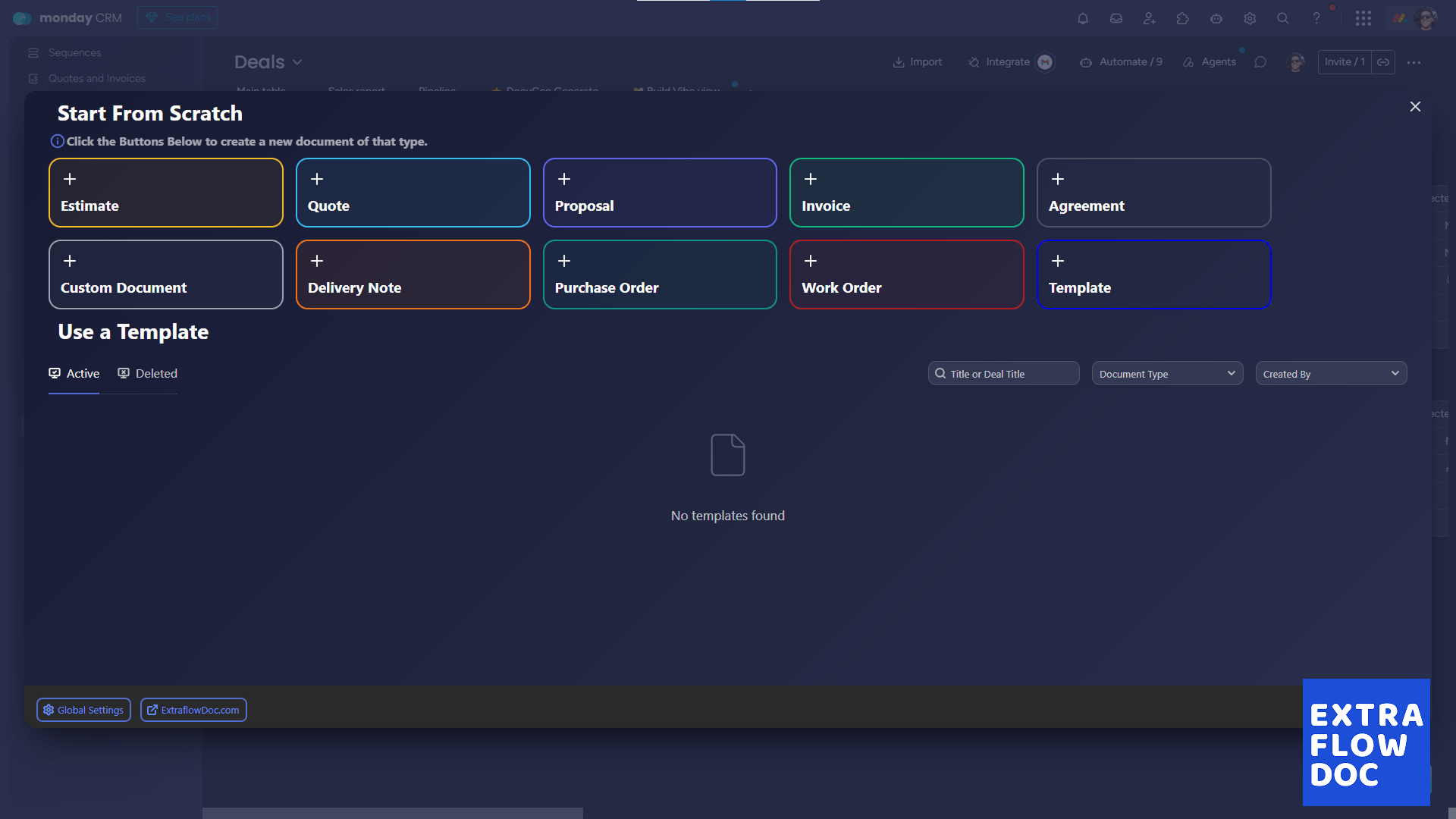
Start From Scratch document type picker for ExtraflowDoc inside monday.com, with Estimate, Quote, Proposal, Invoice, and Agreement options

Zero copy-paste

Your monday.com data becomes the document — automatically

Item info, deal products, and board columns flow straight into every document. Nothing to retype, nothing to reconcile between two systems.

Everything in one place

Everything ExtraflowDoc adds to your monday.com deals

Every feature that turns a monday.com deal into a signed, on-brand document, grouped by what it does.

Document creation & templates

All document types

Estimates, quotes, proposals, invoices, agreements, purchase orders, delivery notes, work orders, and custom documents.

Templates

Save any document as a reusable, on-brand template.

Team access

A shared template library keeps every rep's documents consistent.

Convert quote to invoice

Turn a won quote into an invoice in one click, with every line item carried over.

Autopopulate from the deal

Company and manager

Your company details and the assigned rep populate automatically.

Client data

Contact information flows from the deal into the document — no retyping.

Any board column

Map any column from your Deals board into the document — text, numbers, dates, or dropdowns.

Deal products

Products already attached to the deal populate into the document in one click.

Product catalog

Search and add products

Search your monday.com Products & Services board and add items with one click.

Products and variations

Add a product with all of its variations and pricing tiers at once.

Images autopopulate

Product photos already in your catalog appear on the document.

Sync new items back to monday.com

Line items created from scratch can update your monday.com Products & Services board.

Custom line items

Unique line items

Add one-off products or services that aren't in your catalog.

Rich descriptions & images

Detailed, formatted descriptions with their own photos.

Item-level tax & discounts

Set tax, discount, and custom fields per line item.

Multi-page documents

Covers & galleries

Full-image pages and photo galleries with descriptions.

Tables & custom fields

Structured pricing tables and any custom field your board provides.

Multiple quotation tables

Lay out standard and premium options side by side in one document.

Signatures & payment details

Signature blocks, notes, and payment details on the same document.

Pricing & CPQ

Direct, markup, or margin pricing

Price a line item directly, from cost plus markup, or from a target margin.

Calculated fields

Custom formulas like price × quantity × days for rentals and time-based work.

Volume discounts

Discount rules that apply automatically once quantity crosses a threshold.

Tiered pricing

Define pricing tiers per product so the right rate applies without a manual lookup.

Taxes & fees

Line-item tax

Apply tax per product or service line.

Document-level tax

Apply one tax rate across the whole document.

Multiple taxes per document

Combine region-specific tax rules — GST + PST, VAT with reverse charge, and more — on one document.

E-signatures

Request from any document

Send for signing directly from the item and see status update in real time.

Multiple signers

Collect sign-off from clients, partners, and internal approvers in one workflow.

Audit trail

Every signature ships with a full history — sent, signed, and completed timestamps with IP addresses.

Export & sharing

PDF export

Download a polished, print-ready PDF in one click.

Secure link sharing

Share documents through a secure web link — no attachment needed.

Instant generation

Documents are ready in seconds, every time.

Localization

30 languages

Full translation into every supported language, with nothing held back for a translated version.

Regional tax support

Line-item VAT, GST, PST, sales tax, and more.

How it works

How ExtraflowDoc works inside monday.com

Seven steps from adding ExtraflowDoc to your Deals board to a signed document. Click any screenshot to view it full-screen.

1. Add ExtraflowDoc as a column on your Deals board

From any board, open "Add column" → "More columns" and search for ExtraflowDoc — a one-time setup for the whole team.

2. Choose ExtraflowDoc from your installed apps

Select ExtraflowDoc from the Column Center and add it to the board — it appears as a column on every item.

3. Deal data autopopulates the document

Client details, company info, and any column you map flow straight from the monday.com item into the document — zero retyping, zero copy-paste errors.

5. Build the document from flexible blocks

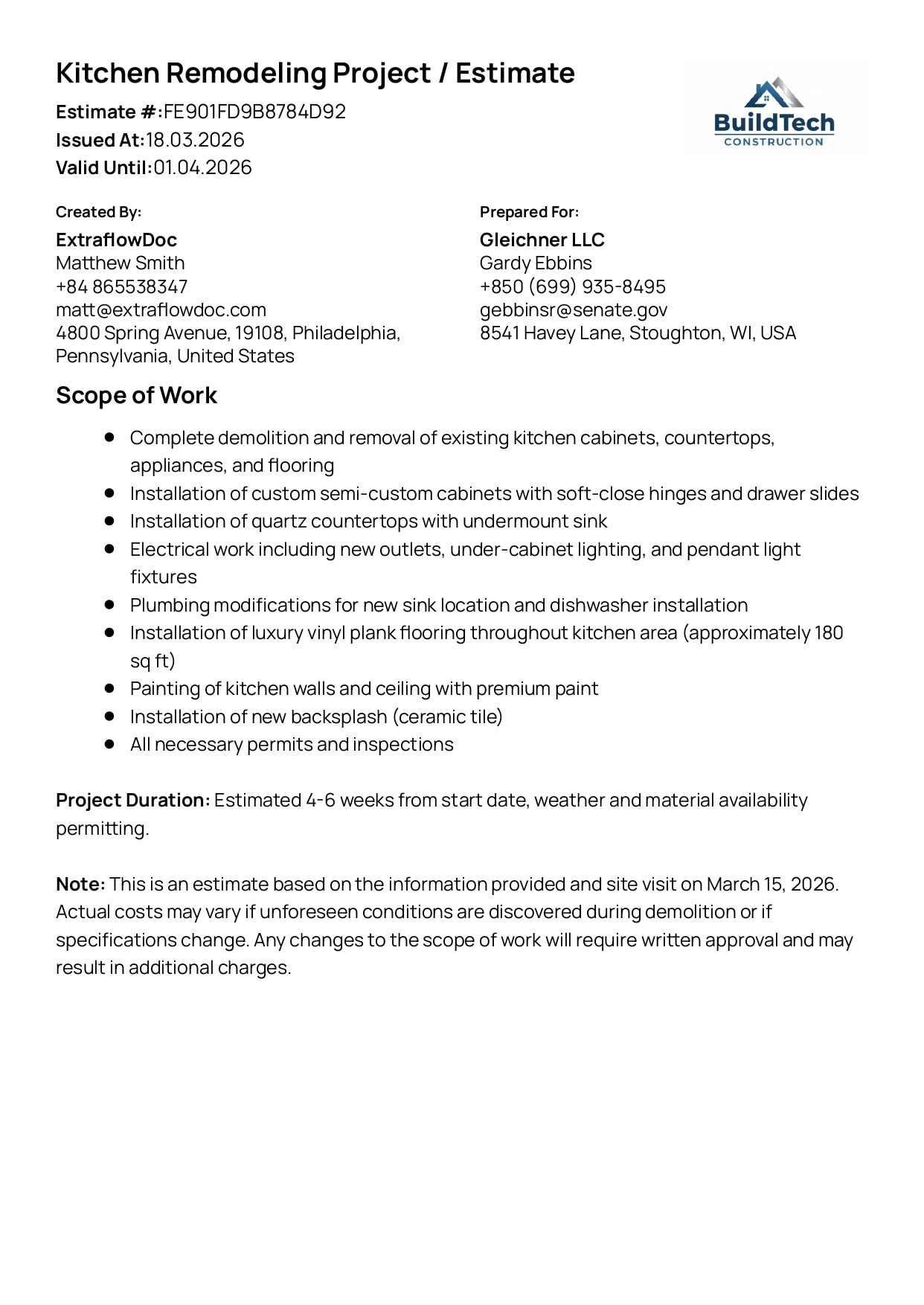
Add cover pages, pricing tables, photo galleries, text, and signature blocks — arrange any combination in one multi-page document.

6. Collect e-signatures without leaving the board

Send the document for signature and track its status in real time — legally binding, with a full audit trail including timestamps and IP verification.

7. Export to PDF or share a secure link

Generate a print-ready PDF instantly, or share a secure link so the client can view and sign the document without downloading anything.

Watch the demo

See how much time you can cut from quoting prep in monday.com

Built for every quoting team

Built for teams that create quotes and proposals daily

Sales teams

Quote faster and keep every rep's documents on-brand.

Suppliers & manufacturers

Tiered pricing and volume discounts with built-in CPQ.

Distributors

Turn a product catalog into an accurate quote in minutes.

Construction & field services

Line-item estimates with labor, materials, and markup.

Service businesses

Professional proposals without a design or ops team.

Equipment & rental

Quote by day, week, or project with calculated columns.

Agencies & freelancers

Send polished proposals and statements of work without a design team.

Wholesale & B2B trade

Tiered, volume-based pricing for buyers ordering in bulk.

IT & software resellers

Itemized quotes for licenses, hardware, and implementation services.

Real estate & property services

Proposals and service agreements ready to send the same day.

Freight & logistics

Rate quotes with calculated columns for weight, distance, or route.

Events & catering

Line-item quotes for packages, staffing, and day-of add-ons.

How we compare

ExtraflowDoc feature comparison

A feature-by-feature comparison of native monday.com document tools.

ExtraflowDoc feature comparison against SmartDocs and other monday.com document tools
FeatureExtraflowDocSmartDocsOthers
monday.com integration
Native monday.com interfaceYesYesNo
Documents stored in the dealYesYesNo
No external platform neededYesYesNo
Data automation
Products auto-populate from the deal (100+ products)YesNoNo
Client data auto-populatesYesYesPartial
Board columns auto-populateYesNoPartial
Search product catalog + variationsYesNoNo
Create line items and sync back to monday.comYesNoNo
Advanced quotation
Multiple quotation tables (budget / standard / premium)YesNoNo
CPQ: volume discounts and tiered pricingYesNoPartial
Price / cost + markup / cost + margin calculationsYesNoNo
Multiple taxes (VAT, GST, PST, custom)YesPartialYes
Collaboration & delivery
E-signaturesYesYesYes
Share via linkYesYesYes
Export to PDFYesYesYes
Pricing & localization
Free plan (5 docs/month)YesNoPartial
30+ languagesYesNoPartial

Customer story

Trusted by teams that quote every day

“Game changer for our construction business. Complex estimates that used to take hours now take 10 minutes.”

Michael Chen, BuildTech Construction

Pricing

Flexible plans that fit your workflow

Every plan includes unlimited users and every document type. Start free — upgrade only when you need more documents a month.

Free plan

USD $0/month

Billed monthly. Unlimited users included.

Get started with the Free plan

5 documents/month per company

  • Estimates
  • Quotes
  • Proposals
  • Invoices
  • Agreements
  • Purchase Orders
  • Delivery Notes
  • Work Orders
  • Custom Documents
  • Templates
  • Integration with Pipedrive
  • Integration with monday.com
  • E-Signatures
  • CPQ
  • Tiered Pricing
  • Volume Discounts
  • Multiple Taxes
  • Pricing Engine for line items (Price, Price + Markup, Price + Profit Margin)

Basic plan

USD $14.99/month

Billed monthly. Unlimited users included.

Get started with the Basic plan

20 documents/month per company

  • Estimates
  • Quotes
  • Proposals
  • Invoices
  • Agreements
  • Purchase Orders
  • Delivery Notes
  • Work Orders
  • Custom Documents
  • Templates
  • Integration with Pipedrive
  • Integration with monday.com
  • E-Signatures
  • CPQ
  • Tiered Pricing
  • Volume Discounts
  • Multiple Taxes
  • Pricing Engine for line items (Price, Price + Markup, Price + Profit Margin)

Standard plan

USD $24.99/month

Billed monthly. Unlimited users included.

Get started with the Standard plan

35 documents/month per company

  • Estimates
  • Quotes
  • Proposals
  • Invoices
  • Agreements
  • Purchase Orders
  • Delivery Notes
  • Work Orders
  • Custom Documents
  • Templates
  • Integration with Pipedrive
  • Integration with monday.com
  • E-Signatures
  • CPQ
  • Tiered Pricing
  • Volume Discounts
  • Multiple Taxes
  • Pricing Engine for line items (Price, Price + Markup, Price + Profit Margin)

See all pricing plans, up to 600 documents/month

Support

Frequently asked questions

Everything you need to know about ExtraflowDoc for monday.com.

Do I need to leave monday.com to create documents with ExtraflowDoc?

No. ExtraflowDoc runs as a column right on your Deals board — open any item and the editor appears without leaving monday.com.

Which types of documents can I create inside monday.com?

Estimates, Quotes, Proposals, Invoices, Agreements, Purchase orders, Delivery notes, Work orders, Custom documents — all from the same editor.

Does ExtraflowDoc autofill data from my monday.com board?

Yes. Client details, company info, assigned rep, and any board column you map populate the document automatically — no retyping.

Can I search my monday.com product catalog from inside a document?

Yes. Search your Products & Services board and add items — with pricing, variations, and images — in a click. You can also add a custom line item when a product isn't in the catalog.

Can I collect e-signatures without leaving monday.com?

Yes. Send any document for signature from the item and track its status in real time, with a full audit trail including timestamps and IP verification.

Does ExtraflowDoc support CPQ, tiered pricing, and volume discounts?

Yes. Set tiered pricing per product and volume discount rules that apply automatically as quantity changes.

Can I apply multiple taxes on one document?

Yes. Apply tax per line item or for the whole document, and combine multiple tax rules — for example GST + PST — on a single document.

Is ExtraflowDoc available in languages other than English?

Yes — ExtraflowDoc is fully translated into 30 languages, with regional tax support (VAT, GST, PST, sales tax, and more).

Do I need a credit card to try ExtraflowDoc?

No. The Free plan includes 5 documents a month with unlimited users, and no credit card is required to start.

Ready to quote faster?

Move your document workflow into monday.com.